An agent can make the build pass and the tests green and still hand you the wrong product. A preview environment is where you catch that — by looking at the real, running app before a single user does. For AI-built apps, it's the difference between "it compiles" and "it works."
What a preview environment is
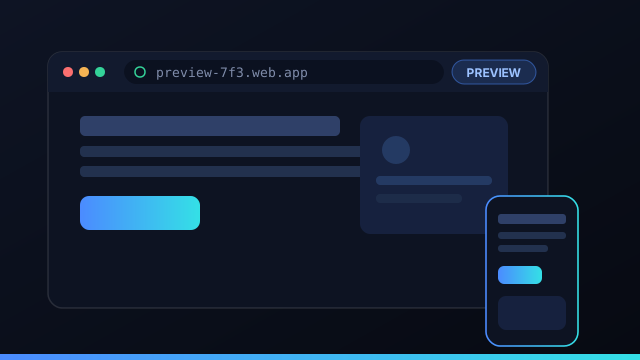
A preview environment is a live instance of your app, built from the change you're evaluating, served at a URL you can open. It's not a screenshot or a description — it's the actual product, running, ready to click through.
See it before you ship
Automated checks confirm the code runs; a preview confirms the product works. A form that submits to nowhere, a layout that breaks, a flow that's technically correct but wrong — these pass tests and fail a human glance. Looking at the preview closes that gap before users find it.
"The build passed" and "this is what I asked for" are different claims. A preview is how you verify the second one.
Preview equals deploy
A preview is only trustworthy if it matches what ships. When preview and deploy are built from the same manifest, the preview is the production artifact — same build, same output, same routing. There's no "worked in preview, broke in prod," because there's no second configuration to diverge.
Responsive and shareable
Because a preview is just the running app at a URL, you can open it at any size — desktop, tablet, phone — to check responsive behavior, and share the link so a teammate or client can click through too. The same preview that proves the work to you can demo it to anyone.
Don't ship what an agent says it built. Ship what you watched run in a preview.
What to actually check in a preview
A preview is most valuable when you check the things tests can't see. Click the primary flows end to end — does the form actually submit, does the data round-trip, does the happy path reach the success state? Look at the empty, loading, and error states, which agents often skip. Check responsive behavior at phone and tablet widths. Confirm real content renders, not just lorem ipsum, and that links go where they should. Watch the network panel for failed requests and the console for errors. None of these require deep inspection — a two-minute click-through catches the gap between "the build passed" and "this is the product I asked for." For AI-built apps especially, that human glance is where you catch the technically-correct-but-wrong changes.
Sharing previews with clients and teammates
Because a preview is just the running app at a URL, it doubles as a demo. Share the link and a client or teammate can click through the exact build you're about to ship — no screen-share, no "let me set it up locally," no describing what changed. For client work that's a powerful feedback loop: they see the real thing, comment on it, and you turn that into the next task. The only caution is access — a preview is a live instance, so treat its URL like any unlisted environment and don't expose sensitive data in it. Used well, the same preview that proves a change works to you also proves it to whoever signs off, which compresses the review-and-approve cycle dramatically.
Preview environments vs a traditional staging server
A long-lived staging server and per-change preview environments solve overlapping problems differently. Staging is a single shared environment that everyone's changes flow through, which means it's often out of date, contended, or showing a mix of half-merged work — "is staging broken or is my feature broken?" is a familiar question. A preview, by contrast, is built fresh from the specific change you're evaluating and, crucially, from the same manifest as production, so it's an accurate, isolated picture of exactly what that change does. You can have many previews at once without them stepping on each other. For AI coding agents producing a stream of changes, per-change previews scale far better than funneling everything through one staging box.
Key takeaways on preview environments
- A preview is the running app at a URL — not a screenshot or a description, the real thing you can click.
- Tests prove code runs; a preview proves the product works — it catches the technically-correct-but-wrong changes.
- Preview should equal deploy. Share one manifest so what you reviewed is exactly what ships.
- Check the parts tests miss — empty and error states, responsive layout, real content, the network panel.
- Previews double as demos — share the link with a client or teammate to compress the approval loop.
For AI-built apps especially, that two-minute human glance at a real preview is the cheapest insurance you have against shipping the wrong thing. Command Fleet previews from the same manifest it deploys, so what you click through is what goes live.
Frequently asked questions
What is a preview environment?
A preview environment is a running instance of your app, built from the current change, that you can open and click through before shipping. For AI-built apps it's where you confirm the agent's work actually behaves, not just compiles.
Why preview an AI-built app before deploying?
Tests prove code runs; a preview proves the product works. Seeing the real UI and flows catches the gap between 'the build passed' and 'this is what I wanted' before anything reaches users.
Does the preview match production?
When preview and deploy share one manifest, yes — same build, same output, same routing. The preview is the same artifact that gets promoted, so what you saw is what ships.
Can I preview on mobile?
Yes — a preview is just the running app at a URL, so you can open it at any viewport, including a phone, to check responsive behavior before deploying.
See it before you ship it
Command Fleet previews from the same manifest it deploys — so what you click through is what goes live. Free for 7 days, no credit card.