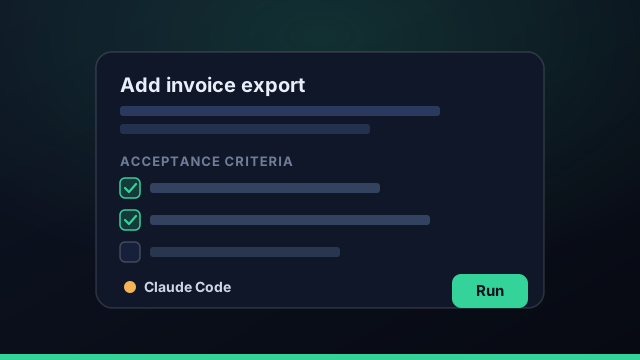
When an agent writes the code, the task is the program. The difference between a run that ships and a run that wanders is almost always the quality of the task you handed it. The good news: writing a good task is a learnable skill with a small number of rules.
Why the task is the program
A vague task ("improve the checkout") forces the agent to guess your intent, and it will guess differently than you would. A precise task ("add a coupon field to checkout that validates against the coupons table and shows an inline error on failure") removes the guesswork. You're not chatting; you're specifying.
The anatomy of a good task
Four parts cover almost everything:
- Title — one line that names the outcome, not the activity.
- Context — the why and the where: which area of the app, which files to start from.
- Acceptance criteria — the checklist that defines "done."
- Constraints — what not to touch, patterns to follow, libraries to avoid.
Give it acceptance criteria
If you add one thing, add this. Acceptance criteria turn a fuzzy request into a testable spec: "shows an error when the code is expired," "covered by a unit test," "no change to the public API." They tell the agent when to stop, and they give your verify gate and your review something concrete to check.
A task without acceptance criteria is a wish. A task with them is a contract the agent — and the verify gate — can be held to.
Scope small, merge often
Big tasks produce big diffs, and big diffs are where bugs hide and reviews stall. Keep each task small enough that the resulting change is reviewable in a few minutes. Small tasks also parallelize cleanly across worktrees and merge with fewer conflicts, so you ship a steady stream instead of one risky lump.
Point, don't paste
You don't need to paste files into the task — the agent can read the repo. Point it at the right starting place ("see src/checkout/") and let it explore. Crucially, never paste secrets: keys and tokens belong in your vault, excluded from every prompt, not in the task description.
A template you can reuse
Steal this shape for every task:
- Goal: one sentence outcome.
- Where: the files or area to start from.
- Acceptance criteria: 2–5 checkable bullets.
- Constraints: what to avoid or preserve.
Pick the agent that fits the job, dispatch, and review the diff against your own criteria. When the criteria are good, review takes seconds.
Write the task you'd want a sharp junior engineer to receive — then hand it to an agent.
Good vs vague tasks: a few examples
The difference between a task that ships and one that wanders is usually visible at a glance. Vague: "improve the checkout." That forces the agent to guess your intent, and it will guess differently than you would. Good: "Add a coupon field to the checkout form that validates the code against the coupons table, shows an inline error for an expired or unknown code, and is covered by a unit test; don't change the public checkout API." Same feature, but now there's a clear outcome, a place to start, explicit acceptance criteria, and a constraint. Another pair — vague: "make the dashboard faster." Good: "the dashboard's initial load should not block on the analytics query; load the chart data after first paint and show a skeleton, with no change to the existing API." Specificity isn't bureaucracy; it's the difference between a guess and a spec.
Task anti-patterns to avoid
A handful of anti-patterns account for most disappointing runs. The kitchen-sink task bundles five unrelated changes into one, producing a sprawling diff that's hard to review and prone to conflicts — split it. The no-criteria task says what to do but not what "done" means, so neither the agent nor your verify gate has anything to check against. The paste-everything task dumps whole files into the prompt instead of pointing the agent at the repo, wasting context and, worse, sometimes pasting secrets that should never enter a prompt. And the moving-target task keeps getting redefined mid-run in a long thread; it's cheaper to let it finish, review the diff, and re-dispatch with specific feedback. Avoid those four and most of your runs will land on the first try.
Writing and dispatching tasks in Command Fleet
In Command Fleet, a task is a card on a board: a title, a description with your acceptance criteria, and a chosen agent — Claude Code, Codex, or Gemini — with an optional model override. You dispatch it and it runs in an isolated git worktree; when it finishes you review the in-app diff against the very criteria you wrote, and an optional verify gate runs your build and tests first so you only review changes that already pass. If something's off, re-dispatch with feedback rather than arguing in a long thread, or send the same task to a different agent for a fresh take. Because review is fast when the criteria are good, well-written tasks turn into a steady stream of merged work — which is exactly the point of treating the task as the program.
A reusable task template
Pull everything together into a template you can paste into every task. Four parts cover almost any well-formed task for an AI coding agent:
- Goal — one sentence naming the outcome, not the activity.
- Where — the files or area to start from (a pointer, not a paste).
- Acceptance criteria — two to five checkable bullets that define "done."
- Constraints — what to preserve or avoid (don't change the public API, no new dependencies, match existing style).
That shape works because it turns a vague request into a contract the agent — and your verify gate — can be held to. Keep the scope small enough that the diff is reviewable in a few minutes, point at files instead of pasting them, and never put secrets in the task. Write the task you'd hand a sharp junior engineer, and an AI coding agent will treat it the same way: as a spec to execute, not a riddle to solve. In Command Fleet that template becomes a card you dispatch to Claude Code, Codex, or Gemini and review against the very criteria you wrote.
Frequently asked questions
How do I write a good prompt for a coding agent?
Treat the task like a ticket, not a chat. Give it a clear title, just enough context, explicit acceptance criteria, and the constraints that matter. Point the agent at the right files rather than pasting everything, and keep the scope small enough to review in one sitting.
How big should an agent task be?
Small enough that the resulting diff is reviewable in a few minutes. If a task would touch a dozen files across unrelated concerns, split it. Small, well-scoped tasks are easier to verify, parallelize, and merge.
Should I include acceptance criteria?
Yes — they're the single highest-leverage thing you can add. Acceptance criteria tell the agent when it's done and give you and the verify gate a concrete checklist to test against.
What should I leave out of a task?
Secrets, and anything the agent can discover itself. Pass pointers (file paths, the repo, the build command) rather than pasting large blobs, and never paste API keys or tokens into a task.
Hand agents tasks worth running
Command Fleet turns well-scoped tasks into isolated runs you review and merge — pick the agent per task. Free for 7 days, no credit card.