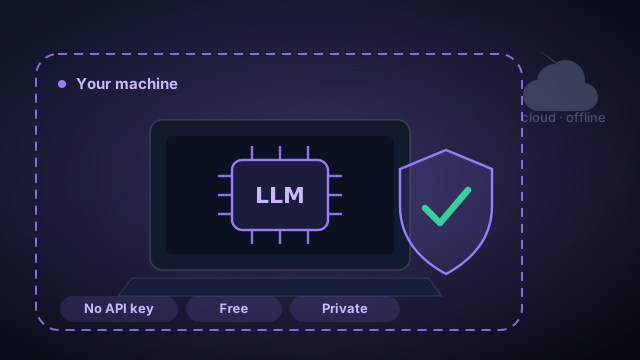
Command Fleet has always been local-first about your code — every run happens on your machine, in an isolated git worktree. Now it can be local about the model too. A new Local LLM agent runs a Qwen coding model entirely on your own hardware: no account, no API key, no per-token bill, and no internet connection required. This post is an honest tour — what it's genuinely good at, where the limits are, and how to set it up without surprises.
What "local LLM" actually means here
Three pieces work together, all on your machine. Ollama is the model server that hosts the weights. The Qwen Code CLI is the agent loop that plans, reads files, and calls tools. And the model itself is a Qwen3-Coder build, purpose-trained for agentic coding and tool use. Command Fleet points the CLI at your local Ollama endpoint and drives it exactly like any other agent — the same task board, worktrees, and review flow you already use for Claude Code, Codex, and Gemini. The only difference is that nothing leaves the box.
Why run the model on your own machine
There are three reasons it's worth the setup:
- Privacy. Your source code, your prompts, and your secrets never leave your machine. For client work under NDA, or a codebase you simply don't want sitting in someone else's logs, that's the whole game.
- Cost. It's free to run. No tokens, no monthly minimum, no surprise bill after a long autonomous session.
- Offline. It works on a plane, in an air-gapped environment, or whenever the API you'd normally call is down or rate-limited.
The pitch isn't "local models are as good as frontier cloud models." It's that for a real slice of day-to-day work, free + private + offline beats a few IQ points you didn't need.
What a local model is great at
The sweet spot is read-only, advisory work — tasks where the model proposes and you decide. The standout is a codebase review: point the local agent at a project and it explores the repo and suggests a prioritized backlog of improvements — bugs, missing tests, refactors, security gaps — straight onto your board as tasks you can run later (with any agent). Because it's read-only, it never touches your files; you get the value of a second pair of eyes, for free, without your code ever leaving the machine. Explaining unfamiliar code, drafting a plan, and answering questions about the repo all land in the same comfortable zone.
The honest limits
We'd rather you hear this from us than discover it mid-task. A local coding model has two real constraints:
- It needs capable hardware. The flagship is server-class (≈ 320 GB+ RAM or multiple GPUs); a smaller custom tag like qwen3-coder:30b runs on a strong desktop (~24–32 GB RAM or a 20 GB+ GPU). On an under-spec machine a model still runs, just slowly — there's no free lunch on memory.
- Smaller models are less reliable agents. The flagship makes real tool calls and edits files and runs commands like a cloud agent. Lighter models can execute too, but they're less dependable — they'll sometimes answer with advice or a summary instead of actually editing, and they aren't strong enough to drive a codebase review. That's why the one-click lineup is just the flagship, with smaller tags a Custom-field pull away for the tasks they handle well.
How Command Fleet keeps it honest
Rather than hope your model behaves, Command Fleet measures it. A one-click tool-execution probe asks the model to run a trivial command and checks whether it actually happened — unforgeable proof of whether it can edit and run code on your machine, not a guess from a spec sheet. The result is cached, and the task UI uses it: if the model can only describe changes, an edit/run task warns you up front and points you to a stronger agent, instead of finishing as if work was done. The setup card also flags when your machine is below a model's memory needs. The whole point is no silent failures.
Which model to run
The one-click lineup is deliberately a single model: qwen3-coder:480b, the flagship Qwen3-Coder-480B-A35B (~290 GB) with a 256K context. It's the model the Qwen Code CLI was purpose-built to drive, so its tool-calling is reliable — it runs commands and edits files like a cloud agent. It's a workstation/server-class model (≈ 320 GB+ RAM, or multiple GPUs).
Got a strong desktop rather than a server? Use the Custom… field to pull any other Ollama tag — for example qwen3-coder:30b (~19 GB, which runs on roughly 24–32 GB of RAM or a 20 GB+ GPU). Smaller models execute edit/run tasks fine, but they're less dependable agents and aren't strong enough to drive a codebase review, so reviews are reserved for the flagship or a cloud agent. We keep the offered list short on purpose: rather than ship models we haven't verified end to end, we offer the one we trust and leave the rest a single field away.
Setting it up
One click does the whole chain. In Settings → Local LLM, "Set up automatically" installs Ollama, installs the Qwen Code CLI, and downloads your chosen model, streaming progress as it goes. If you'd rather do it by hand, a manual path walks the same steps one at a time. When it's ready, pick Local LLM as a task's agent — and run the tool-execution test once to confirm your machine and model can do the work you have in mind.
Local and cloud, together
You don't have to choose. Because Command Fleet picks the agent per task, the natural pattern is to let the local model do the cheap, private thinking — review the codebase, draft a plan, propose the backlog — and hand the execution-heavy tasks to Claude Code, Codex, or Gemini. Sensitive review stays on your machine; the heavy lifting goes to whichever agent is strongest for the job. That's the best of both, on one board.
Run the model where it makes sense: private and free for review and advice, cloud-strong for autonomous building.
Frequently asked questions
Do I need an API key to run the local LLM?
No. The local agent runs a Qwen model on your own machine through Ollama and the Qwen Code CLI. There's no account, no API key, and no per-token cost — and it works with no internet connection at all.
What hardware do I need to run a local coding model?
Command Fleet offers the flagship qwen3-coder:480b (~290 GB), which is server-class — roughly 320 GB+ of RAM or multiple GPUs. For a strong desktop, pull a smaller tag like qwen3-coder:30b (~19 GB, around 24–32 GB RAM or a 20 GB+ GPU) from the Custom field. On an under-spec machine a model still runs, just slowly, and Command Fleet warns you when you're below a model's needs.
Can a local model actually edit files and run commands?
Yes — the flagship Qwen3-Coder makes real tool calls and edits and runs code like a cloud agent. Lighter models can execute too but are less reliable, so Command Fleet probes each one with a one-click tool-execution test and warns you on edit/run tasks when a model can't be trusted to act — no silent no-ops.
When should I use a local model vs a cloud agent?
Use the local model for private, free, offline work — codebase reviews, suggestions, and explanations where the model proposes and you act. For heavy autonomous edit/run tasks, cloud agents like Claude Code, Codex, and Gemini are stronger. Command Fleet lets you pick the agent per task, so you can mix both.
Run a coding agent that never leaves your machine
Command Fleet runs Claude Code, Codex, Gemini — and now a fully local Qwen model — across every project, on your own hardware. Free for 7 days, no credit card.